Variables
Variables can be used for personalizing playthroughs based on user’s choices. Changes in variables are saved in logs upon selection of the answer.
Types
There are four types of variables you can create. Each one corresponds to the basic types found across many programming languages.
- boolean - true or false
- string - any text value, ex “Freja the Brave”
- integer - any integer number, ex 2137
- float - any decimal number, ex 4.20
Definition
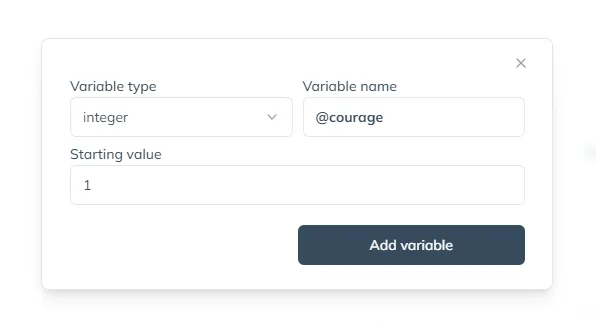
To use a variable in a gamebook it needs to be defined in the config panel. You need to choose its type, name it (all variable names start with @ sign) and provide a starting value.
Usage
Variables are used in three places in gamebooks:
Freja grabs your hand and turns you around.
You walk with an aura of self-confidence.
Go leftErrors
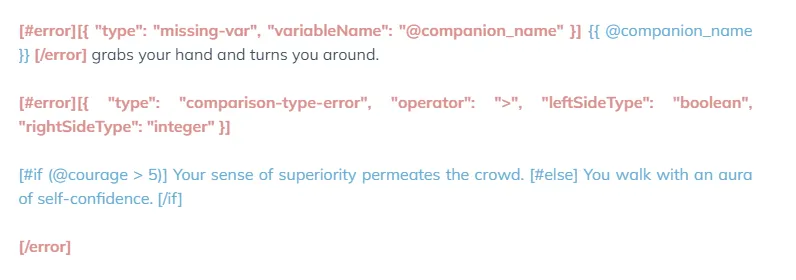
Sometimes your usage of the variables might be incorrect. Errors will be shown during the rendering on the preview screen.
Error types
missing-var
You forgot to define the variable in the config panel.
comparison-type-error
Might happen in conditions blocks due to comparison of incompatible variable types together, ex: comparing boolean with integer (true >= 3)
TODO MORE ERRORS
See also
- Operators reference.
- Conditions reference.
- Interpolation reference.